JBJanvi
← All work

02 · Accessibility review · 2026

Sugami

Accessibility, made clear.

An accessibility review tool that helps designers spot barriers, understand their impact, and make informed improvements—all within a simple, guided workflow.

Open live product →
Role
UI/UX Designer
Type
SaaS product concept
Product
Interactive prototype
Review levels
WCAG AA · WCAG AAA

Problem

Accessibility guidance is hard to turn into design decisions

Designers want to create products that more people can use, but applying accessibility guidelines can be challenging. Requirements are spread across detailed documentation, and translating them into everyday decisions about color, typography, spacing, and controls takes time and specialist knowledge.

Without clear feedback during design, issues can carry through to development, where they become harder to resolve. Designers need a way to understand what needs attention while they can still make changes easily.
Solution

Make accessibility part of the design process

Sugami brings accessibility feedback closer to where design decisions happen. Designers can connect a Figma or Adobe XD file, or upload screenshots, and select WCAG AA or AAA to guide their review.

The tool presents findings in familiar design terms, explaining the issue, its potential impact, and a suggested improvement. By turning detailed guidance into practical next steps, it helps designers build accessibility into their work and learn as they go.

From design to actionable feedback

Follow the journey from importing a design to reviewing accessibility findings and making improvements. Each step helps designers understand their next action without overwhelming them with technical detail.

Connect — Connect a Figma or Adobe XD file, or upload screenshots to begin a review.

A clearer path to accessible design

Four steps help designers move from identifying potential barriers to applying a fix in Figma.

Screen 01

Bring your designs into Sugami

Connect a Figma or Adobe XD file, or drop design screens as images.

Sugami — Bring your designs into Sugami
  1. 1. Connect your design file

    Link Figma or Adobe XD to review the design you are working on.

  2. 2. Upload screenshots

    Drop PNG or JPEG screens to start without connecting a file.

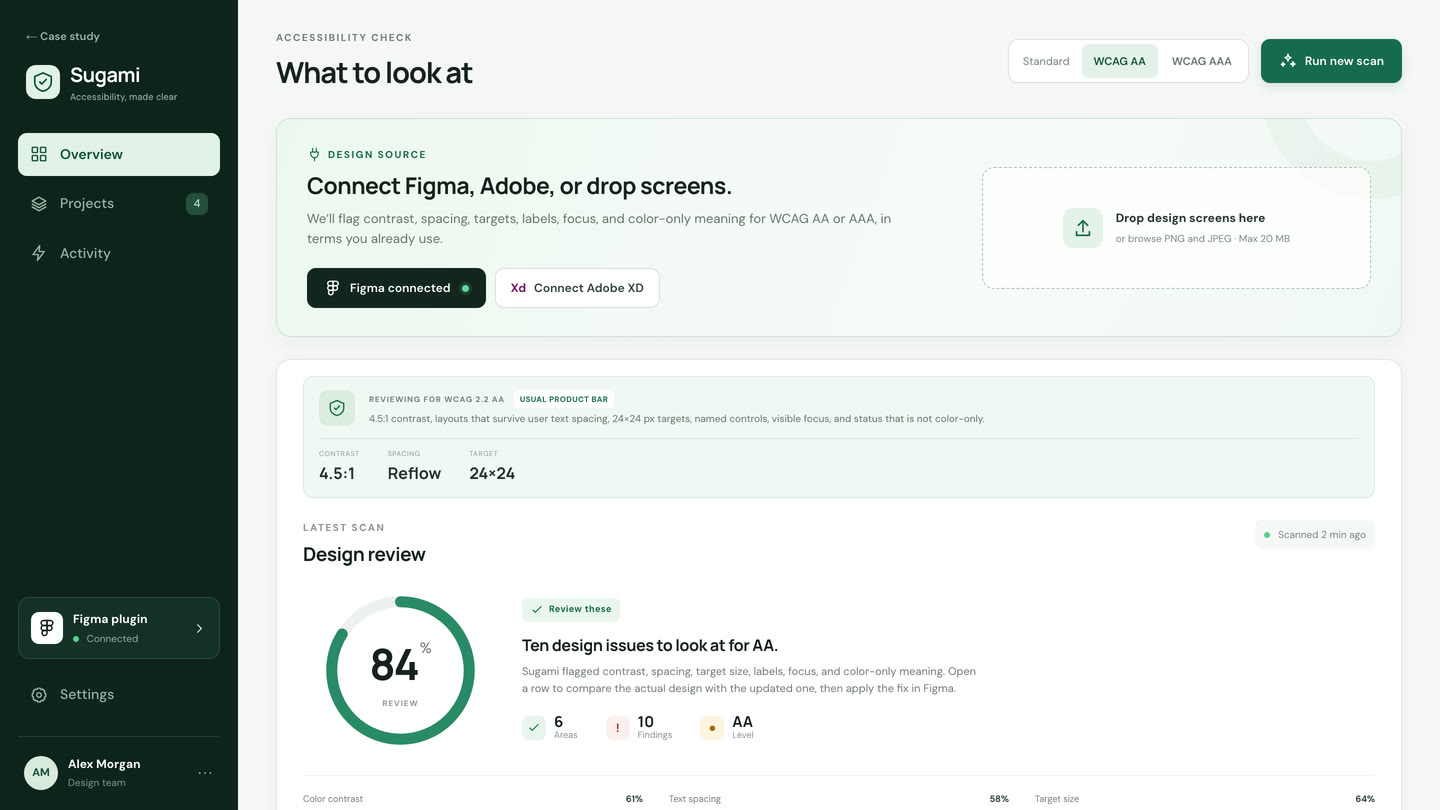
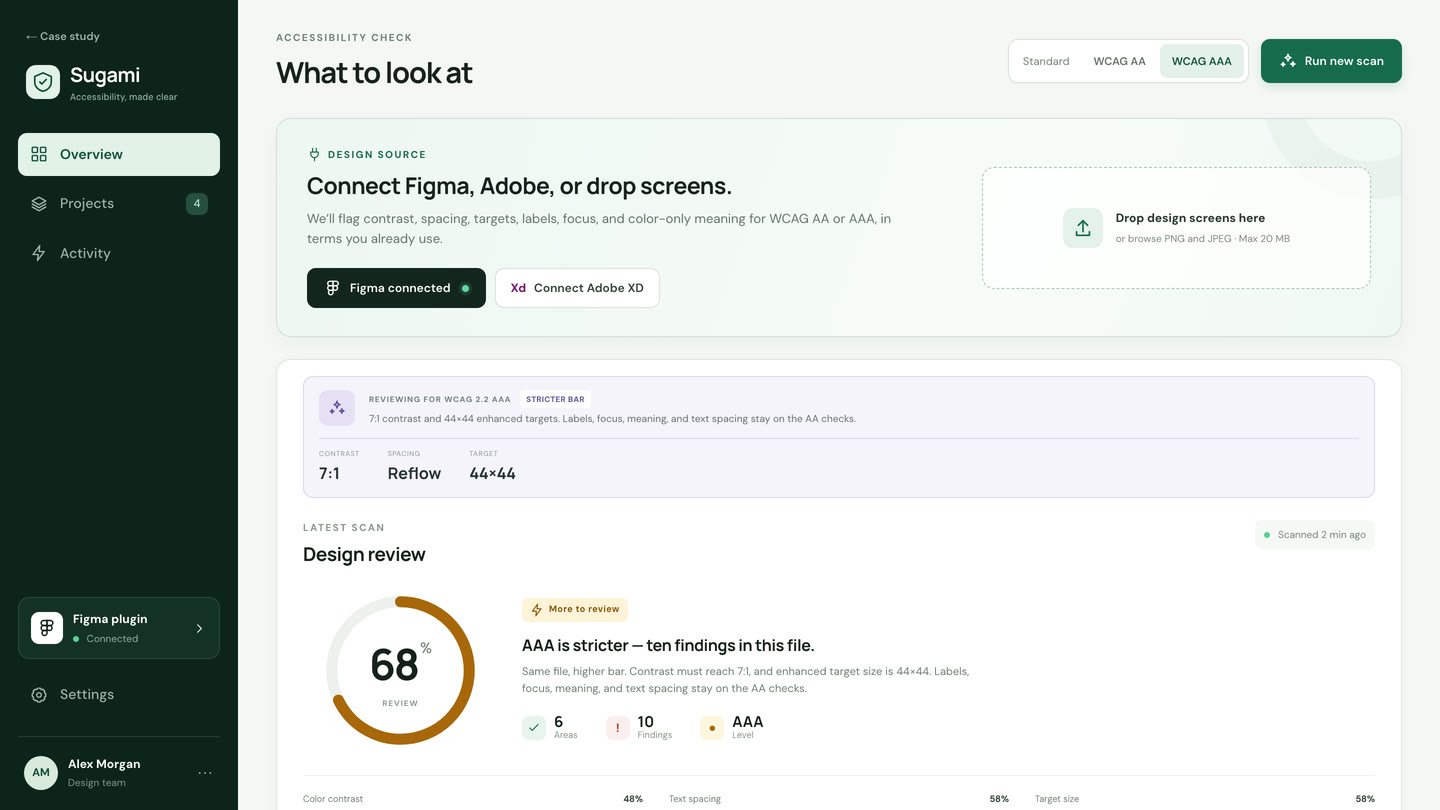
Screen 02

Set your accessibility goal

Choose WCAG AA or AAA to guide the review. Sugami uses the selected level to present relevant checks, giving designers a clear starting point without requiring them to interpret every criterion themselves.

Sugami — Set your accessibility goal
  1. 1. Choose WCAG AA or AAA

    Set the accessibility goal that will guide this review.

  2. 2. Run the scan

    Click Run new scan to see the results for the selected level.

Screen 03

See what needs attention

Findings sit in one list, in familiar design terms.

Sugami — See what needs attention
  1. 1. Filter by type

    Contrast, spacing, size, labels, focus, and meaning.

  2. 2. Current vs guidance

    Each row shows the issue, where it is, and what AA asks for.

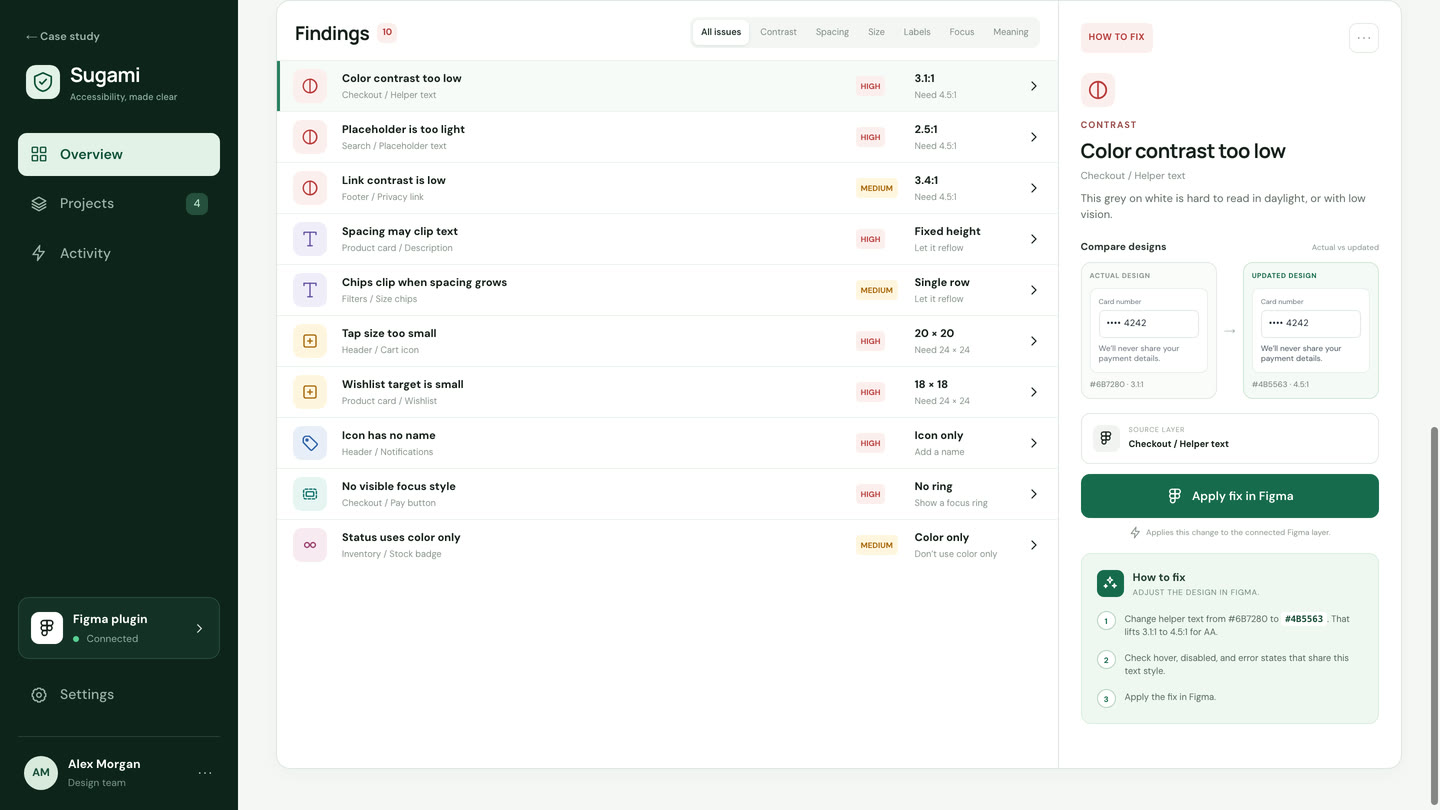
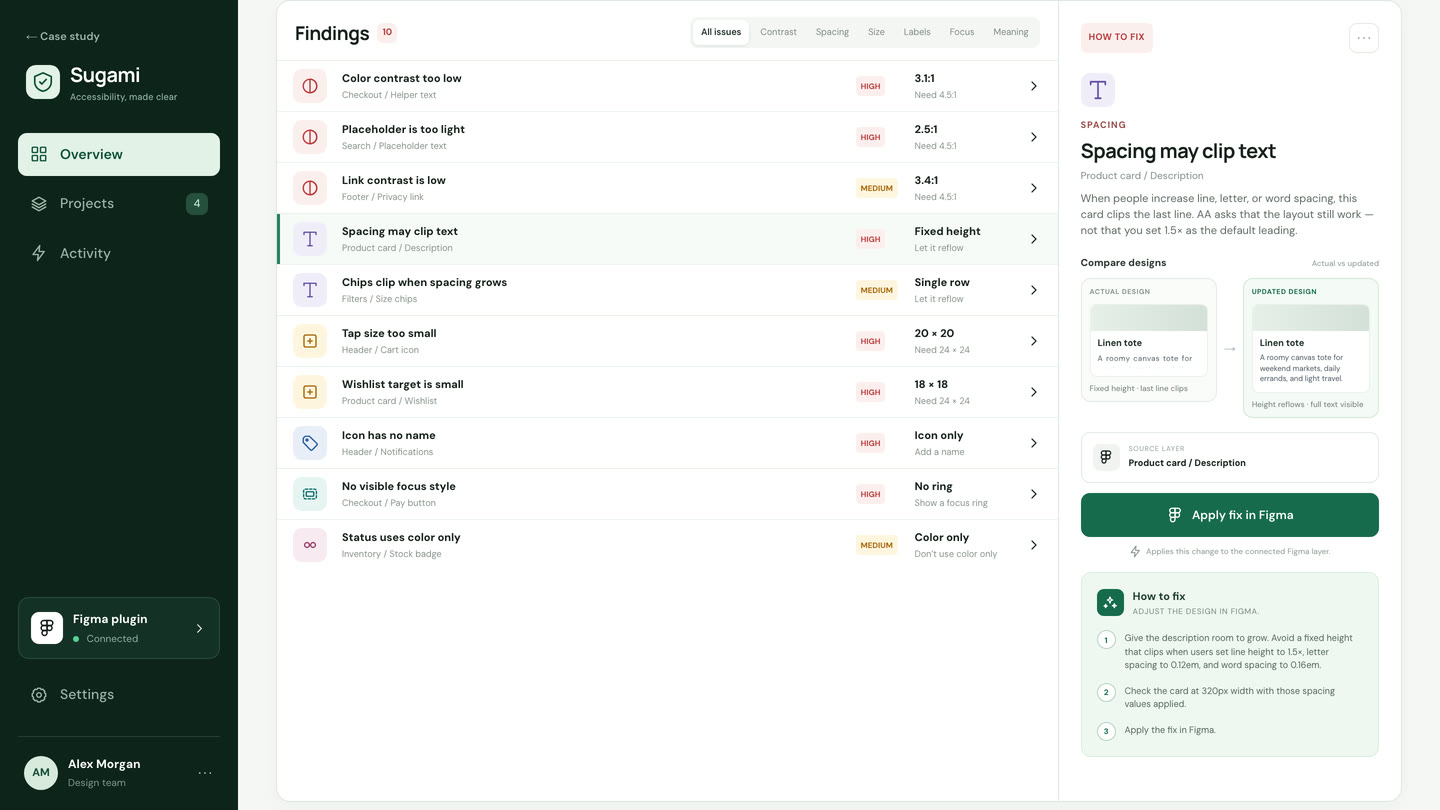
Screen 04

Understand the issue and apply fixes

Open a finding, compare the design, and apply the change in Figma.

Sugami — Understand the issue and apply fixes
  1. 1. Actual vs updated

    See the current design beside the suggested change.

  2. 2. Apply in Figma

    The source layer is named, then the fix is applied.

Why accessibility matters

Design for more people

People use products in different ways. Considering accessibility early helps designers create experiences that are easier to read, understand, and use.

01

Make everyday tasks easier

Clear text, visible controls, and easy-to-use buttons help more people use a product comfortably.

02

Find issues while designing

Spotting barriers early gives designers a chance to improve the experience before development begins.

03

Know what to change

Sugami explains issues in familiar design language and suggests practical fixes, so designers can take action without studying every accessibility guideline.

Sugami helps designers build accessibility into everyday decisions, one thoughtful improvement at a time.

NextMIT-WPU Navigate →